CommandRunner
A downloadable tool
Reusable Roblox Studio commands with auto-generated UI.
CommandRunner is a Roblox Studio plugin that allows you to run commands with ease and efficiency. Turn snippets into saved, reusable commands with named arguments, generated forms, presets, one-click execution, and undo support.
Why it exists
Studio’s built-in Command Bar is fast, but it starts getting annoying once your snippets have values you need to change often. A simple tweak like a color, size, name, speed, folder path, or selected instance can mean digging through nested code and carefully editing hardcoded parameters by hand.
Full plugins solve this, but they are usually too much work for small internal tools.
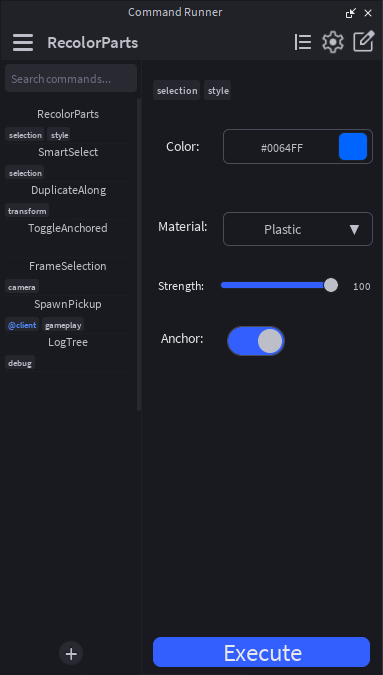
CommandRunner sits in the middle: as quick to set up as a Command Bar snippet, but reusable like a real tool. You define your parameters once, and CommandRunner turns them into a clean form UI with fields, toggles, sliders, dropdowns, color pickers, instance pickers, and more.
Instead of editing code every time, you change the values in the UI and press Execute.
What it does
A command is just a ModuleScript that returns an argument schema and a Run(props) function. CommandRunner reads the schema, builds the UI, saves argument values, and runs the command with useful Studio helpers attached.
Use it for tools like recoloring selections, snapping parts to a grid, renaming objects, editing attributes, copying and pasting attributes, generating folders, setting up project templates, cleaning up instances, selecting objects by rules, or running repeatable Studio workflows.
Features
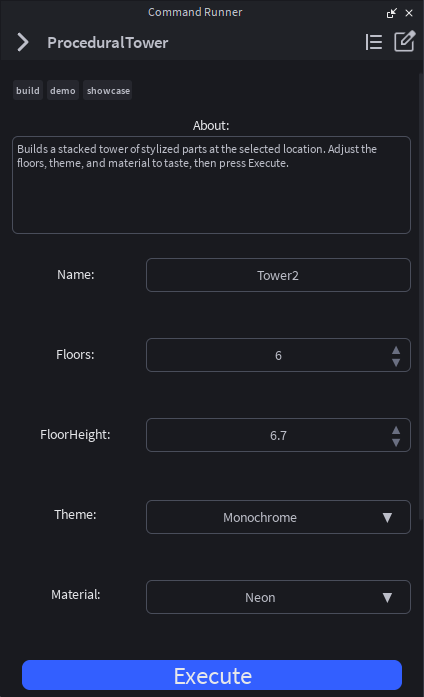
- Auto-generated form UI from a argument schema.
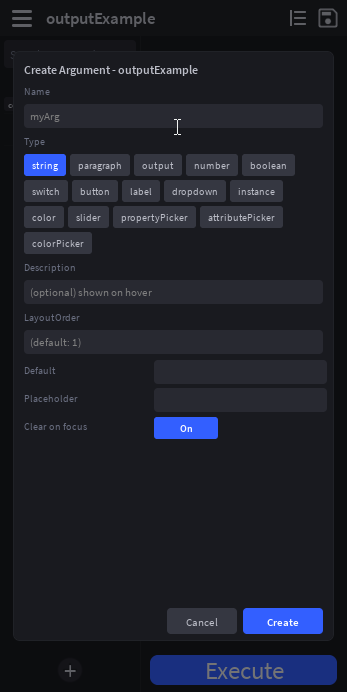
- 15+ argument types, including strings, numbers, toggles, sliders, dropdowns, instance pickers, color pickers, property pickers, attribute pickers, labels, buttons, and output fields.
- Smart Studio pickers that can pull from your current selection.
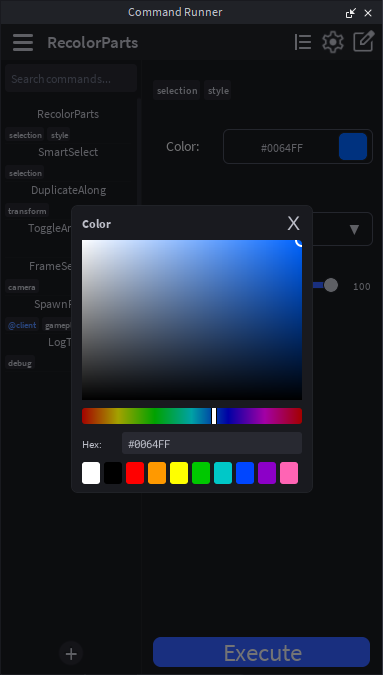
- Built-in HSV color picker with hue slider, hex input, presets, and smart color parsing.
- Live sliders with min, max, step rounding, and clean number output.
- Auto-generated Luau types for better IntelliSense when reading
props.Arguments. - Per-command presets for saving and loading argument snapshots.
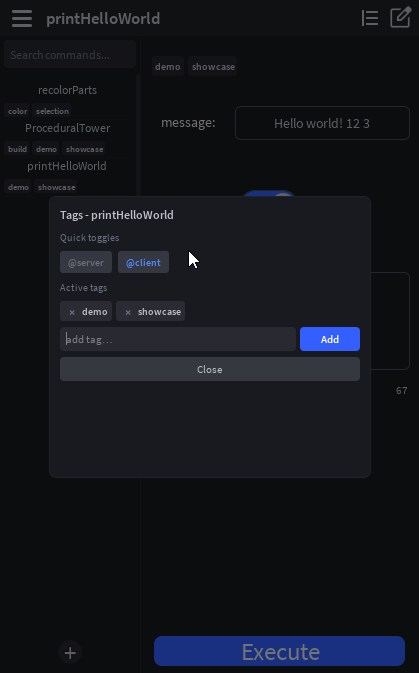
- Tags and sidebar filtering to keep your commands organized.
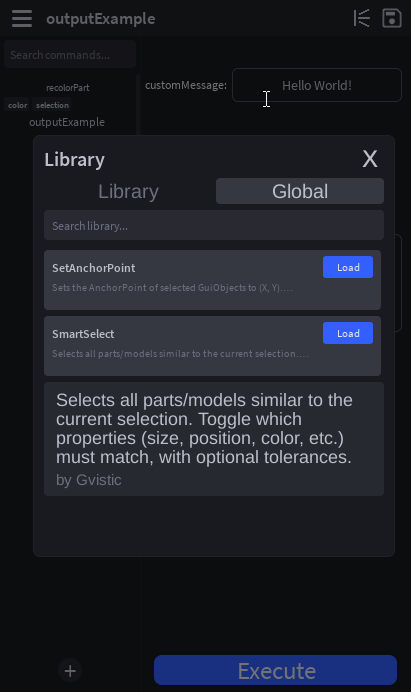
- Cross-place personal library so you can save commands once and load them in other places.
- Bundled global commands with useful utilities included.
- One-undo execution using ChangeHistoryService, so one Ctrl+Z can revert the whole run.
- Command chaining so commands can run other commands programmatically.
- Runtime delivery for commands tagged with
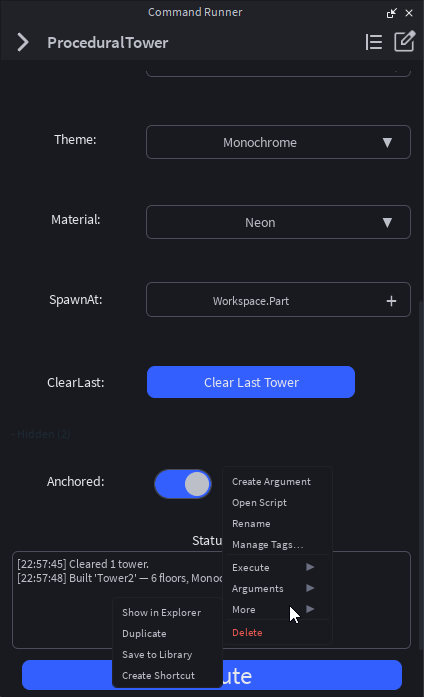
@client. - Plugin actions are easily customizable through the context menu.
- Studio theme matching for light and dark mode.
Example command
return {
    Description = "Recolors selected parts.",
    Tags = { "selection", "color" },
    Arguments = {
        Color = {
            Type = "color",
            Default = Color3.new(1, 0, 0),
            Description = "The color applied to selected BaseParts.",
        },
        Size = {
            Type = "slider",
            Default = 5,
            Min = 1,
            Max = 20,
            Description = "Example size value.",
        },
    },
    Run = function(props)
        for _, instance in props.Selected do
            if instance:IsA("BasePart") then
                instance.Color = props.Arguments.Color
                instance.Size = Vector3.one * props.Arguments.Size
            end
        end
    end,
}
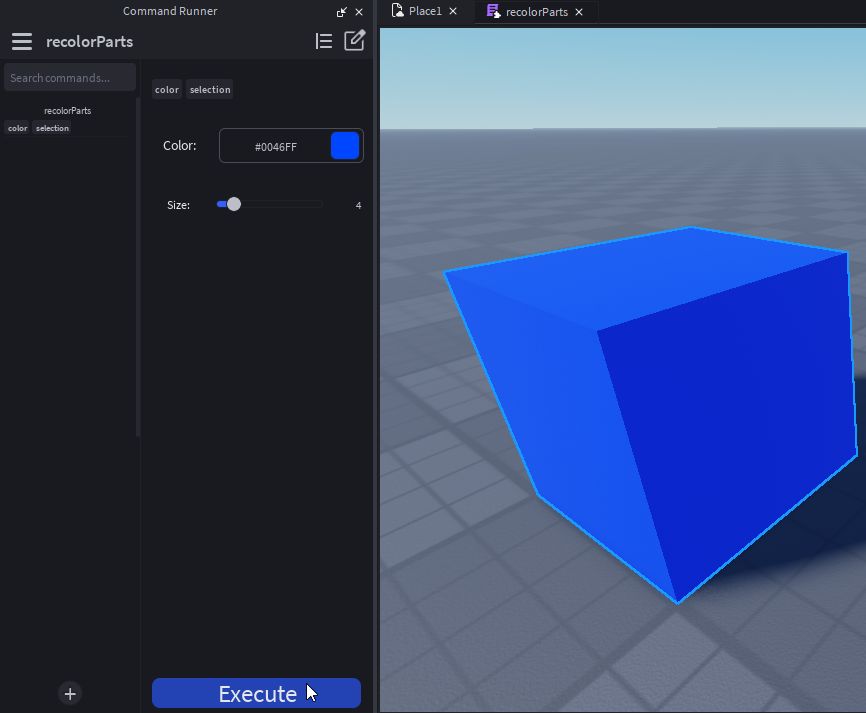
CommandRunner turns that schema into a real Studio UI automatically. You edit the values in the form, press Execute, and the command runs.
Built-in helpers
Commands receive a props table with helpful utilities such as:
props.Arguments
props.Selected
props.FirstSelected
props.Plugin
props.Configuration
props.RunCommand
props.ViewCommand
props.SetSelection
props.FocusView
props.SendNotification
props.Output
Who it is for
- Roblox developers who use the Command Bar often.
- Commission developers working across multiple projects.
- Studio teams sharing internal tools.
- Plugin authors prototyping new tool ideas.
- Builders and technical artists who need repeatable Studio actions.
What makes it different?
CommandRunner is not just a snippet/command manager. It gives your scripts real generated UI, typed arguments, saved presets, smart Roblox Studio pickers, cross-place reuse, team-friendly ModuleScript commands, runtime delivery support, and safe one-step undo.
It is made for the small tools you do not want to turn into full plugins, but still want to keep, reuse, edit, and share.
Purchase
In order to download this tool you must purchase it at or above the minimum price of $5.99 USD. You will get access to the following files:
Development log
- Client Runtime Optimizations99 days ago
Leave a comment
Log in with itch.io to leave a comment.